
What does Google Business Profile visibility mean for Hyderabad businesses?
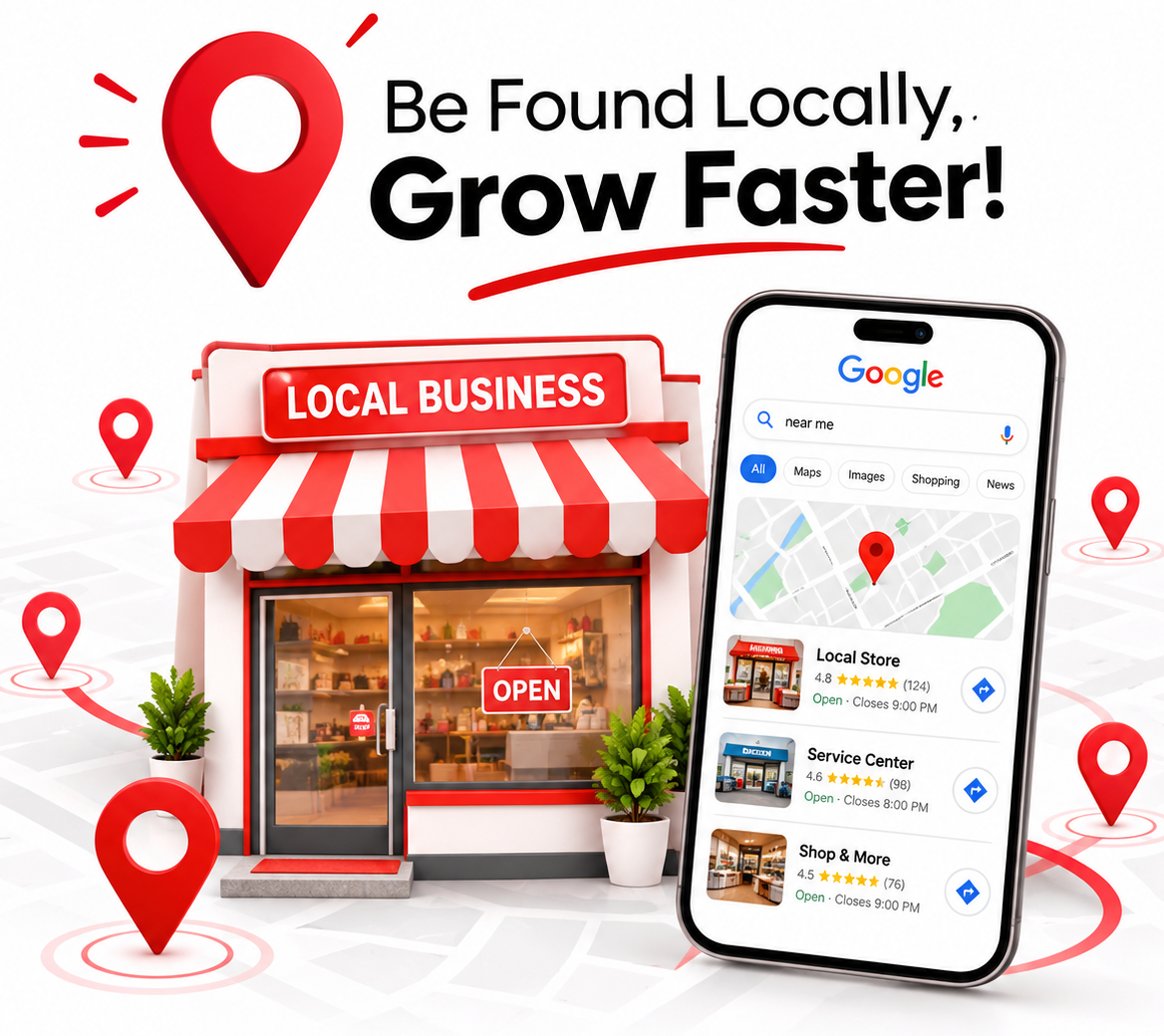
Google Business Profile visibility is how often your business shows up when people search on Google Search and Google Maps. In Hyderabad, it often decides whether a nearby customer finds you or your competitor when they search for something like “dentist near me” or “interior designer in Kondapur”.
Your Google Business Profile is the free listing that shows your business name, address, phone number, opening hours, photos and reviews. People use it to call you, get directions, read reviews and visit your website.
Hyderabad is a large city with a lot of similar businesses. A person in Gachibowli sees different results from a person in Secunderabad, even for the same search. That is why local visibility matters so much here.
This guide is useful for any business that serves local customers. That includes shops, restaurants, salons, coaching centres, builders, repair services and clinics. Clinics and hospitals may also like our guide on healthcare digital marketing in Hyderabad.
Open Google on your phone and search for your main service plus your area. Look at who shows up and what their profiles show. This is what your customers see.
How does Google decide which businesses to show in Hyderabad?
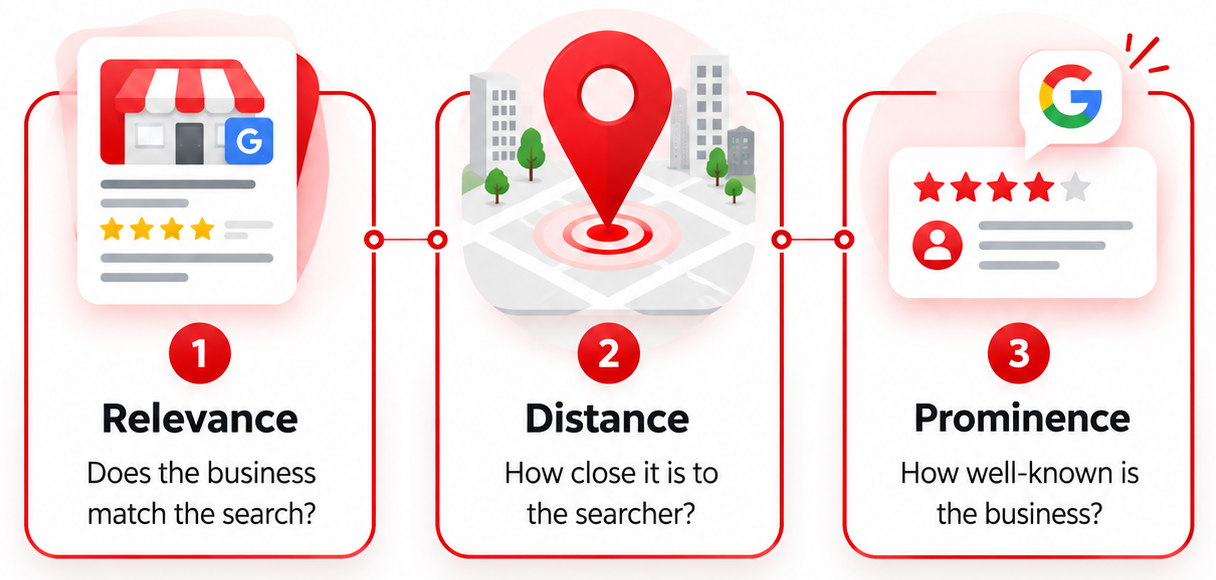
Google says local results are based mainly on three things: relevance, distance and prominence. Relevance is how well your profile matches the search. Distance is how far you are from the person searching. Prominence is how well known your business is, based on reviews, links and mentions online.
Relevance
Google needs to understand what you do. A complete profile with the right category, services and description helps. If the profile is thin, Google has to guess.
Distance
If someone in HITEC City searches for a cafe, Google will often show cafes close to them first. You cannot change your location. But you can make your profile strong enough to win the searches where you are close.
Prominence
Businesses that are well known and well reviewed tend to do better. Good reviews, a useful website and steady mentions across the web all help.
Two points are worth remembering. First, results change from person to person and from place to place. Second, you cannot pay Google to rank higher in the map results. So the work is about building a better profile, not buying a position.
How to improve your Google Business Profile visibility in Hyderabad: a step-by-step checklist
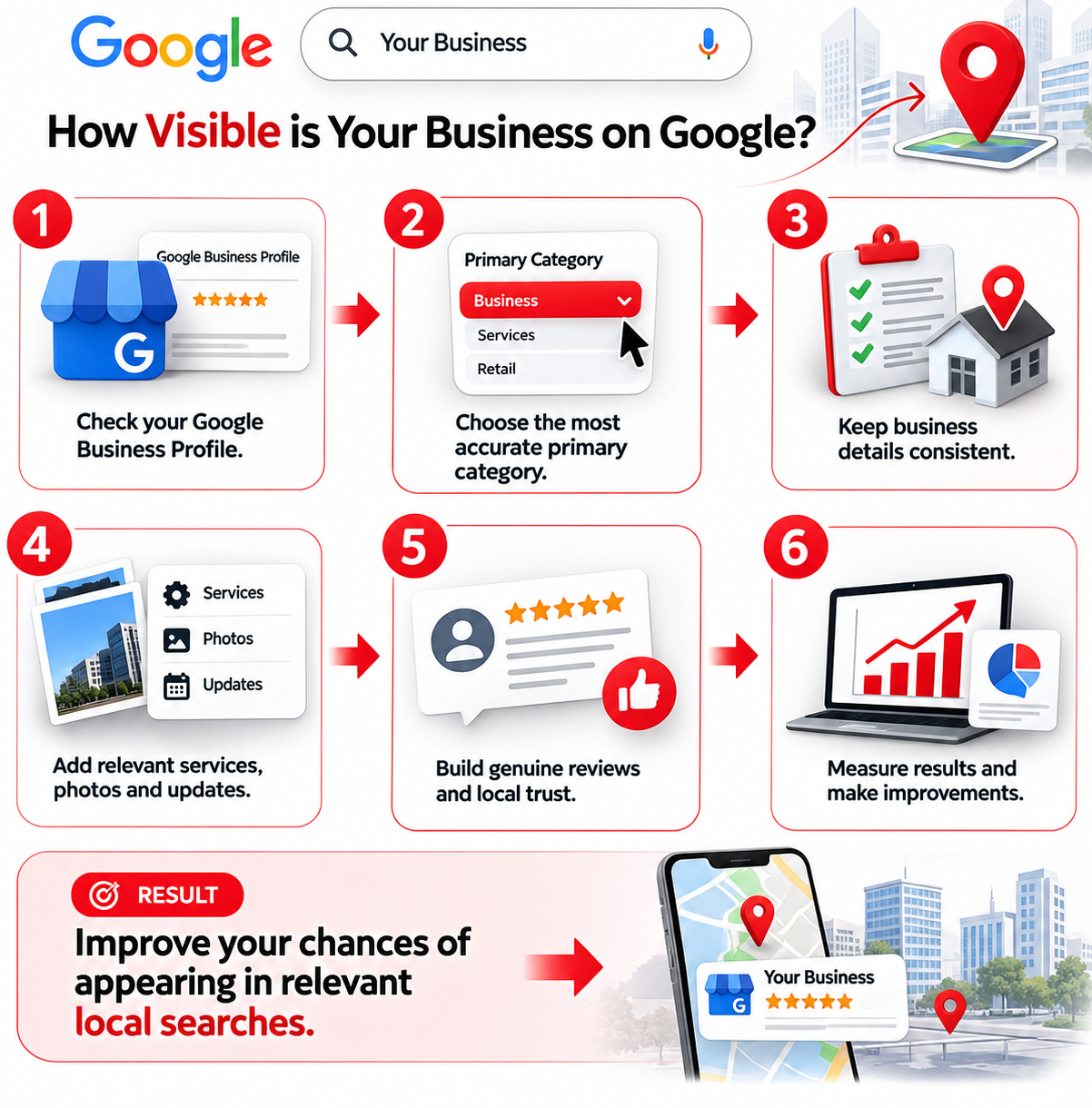
Start by claiming and verifying your profile. Then fill in every field: name, address, phone, hours, website, category, services and description. Add photos, ask for reviews and keep everything up to date. Finish the basics first, because a complete and accurate profile gives Google the clearest picture of your business.
- Find or create your profile. Search your business name on Google. If it appears, claim it. If not, create a new one at business.google.com.
- Verify it. Google will ask you to prove the business is yours. This may be by phone, text, email, video or postcard, depending on what Google offers for your business.
- Use your real business name. Use the name on your signboard and bills. Do not add extra words just to rank.
- Add your exact address. Match it with your signboard and website. Add a pin that sits on the right spot.
- Add your phone number and website. Use a number you actually answer. Link to the page that best matches the business.
- Set your opening hours. Include special hours for festivals and holidays. Wrong hours lead to angry customers and poor reviews.
- Pick your categories. More on this in the next section.
- Add services, products and a description. Use plain words that customers use.
- Upload real photos. Show your shopfront, inside space, team and work.
- Keep checking the profile. Look at it every month for wrong edits, new reviews and old details.
Not every task has the same weight. As a guide, the chart below shows where to put your effort first.
How do you choose the right categories, services and description?
Your main category is the most important choice on your profile. Pick the one that best describes your core business, such as “Dental clinic” or “Interior designer”. Then add a few extra categories only if they truly apply. Add your services in plain words and write an honest description.
Google uses these fields to understand which searches your business should appear for. A wrong main category can keep you out of the right searches, even if everything else is perfect.
Here is a simple comparison of strong and weak choices.
| Profile item | Strong choice | Weak choice |
|---|---|---|
| Business name | Your real name, as on your signboard | Real name plus extras like “Best Clinic Madhapur” |
| Main category | The one that describes your core work | A broad or unrelated category |
| Extra categories | Two or three that truly apply | Many categories that do not fit |
| Services list | Specific services in simple words | Empty, or one vague line |
| Description | Clear, honest, says what you do and where | Copied text, offers or phone numbers |
When you write the description, think about how a customer would explain your business to a friend. Mention what you do, who you help and the area you serve, such as Madhapur, Jubilee Hills or Kukatpally. Keep it natural. Do not repeat the same words again and again.
Your profile also works better when your website says the same things. If you want help connecting the two, our local SEO services cover both.
How do photos and posts help your profile?
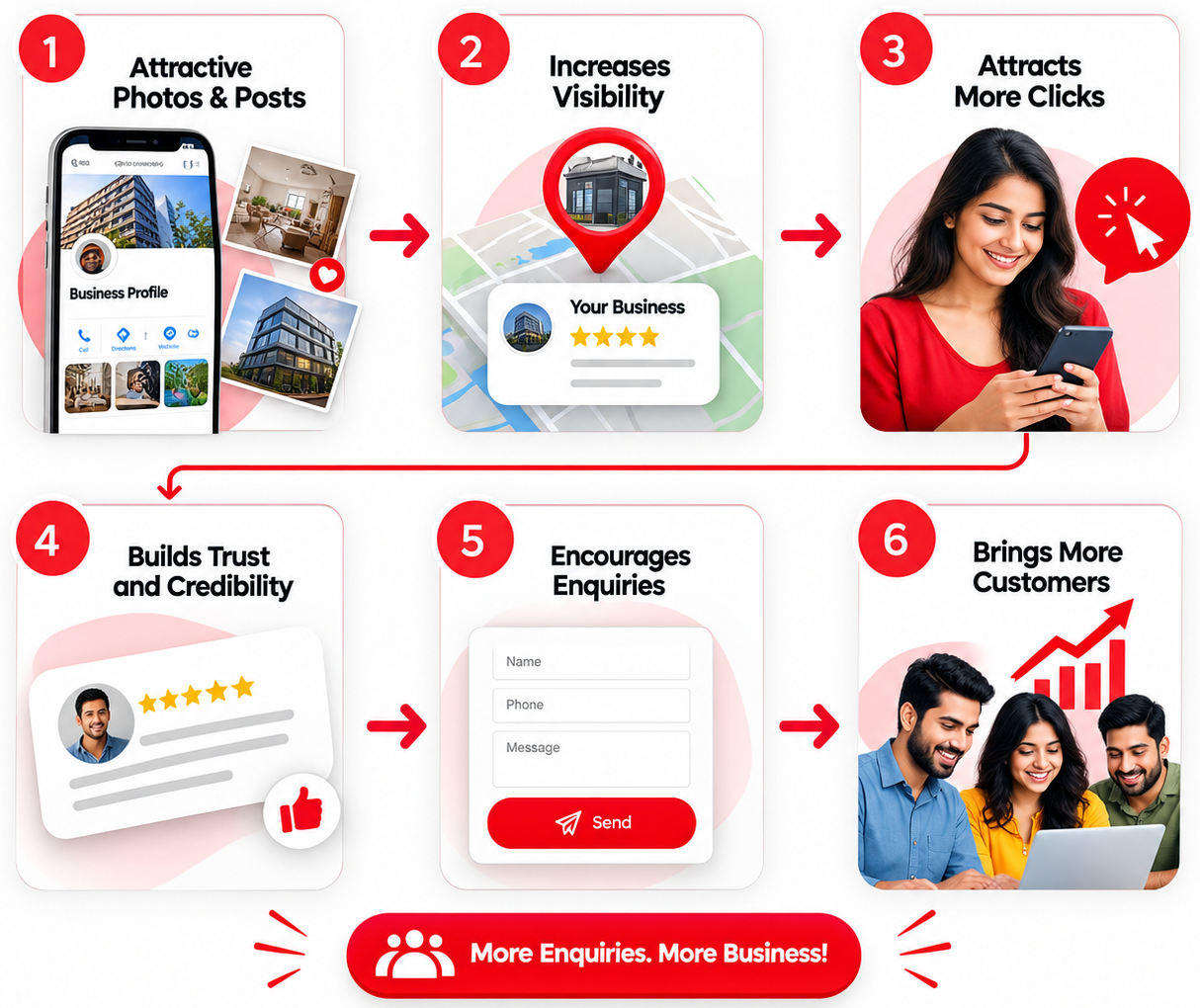
Real photos and regular posts show customers that your business is active and trustworthy. Photos help people decide quickly. Posts let you share offers, events and news. Neither one is a magic switch for ranking, but both make your profile more useful and more complete.
Photos that work
- Your shopfront and signboard, so people can find you easily.
- The inside of your space, including parking or entry if it helps.
- Your team at work, and real examples of your products or results.
- A clear logo and a cover photo.
Use your own photos. Avoid stock images, because customers can tell. Add new photos every month or so, and check that old ones still look right.
Posts and updates
Use posts for a new service, a festival offer, an event or a useful tip. Keep them short and clear, with a button such as “Call now” or “Learn more”. Regular updates tell customers you are open and active. If you need help writing them, our content marketing support can take this off your plate.
If your profile shows a questions section, answer new questions quickly and clearly. Also add your menu, products or price list if the profile allows it.
How do you get more Google reviews and reply to them?
Ask real customers for reviews soon after you have served them well. Share your direct review link by WhatsApp, SMS or a QR code at your counter. Then reply to every review, good or bad. Never buy fake reviews or pay for them, because Google can remove them and may suspend your profile.
- Ask at the right time. Ask just after a good experience, when the customer is still happy.
- Make it easy. Copy your review link from your profile dashboard and send it with a short thank-you message.
- Ask everyone. Do not ask only the people you think will leave five stars. Google does not like that.
- Reply to every review. Thank people by name. Keep it short and real.
- Handle bad reviews calmly. Thank them, say sorry if you were wrong and offer to fix it by phone. Do not argue in public.
Do not write scripts for customers or tell them what to say. Real reviews often mention the service and the area on their own, and that is helpful. You can also share your review link on your page or stories as part of your social media marketing.
Put a small QR code for your review link near the billing counter or reception. Many happy customers will review you if it takes only one scan.
What mistakes hurt your Google Business Profile visibility in Hyderabad?
The most common mistakes are adding keywords to your business name, using a fake or shared address, choosing the wrong category, ignoring reviews and leaving old details online. These can lower your visibility or even get your profile suspended. Most are easy to avoid once you know them.
- Stuffing keywords into the name. “Best SEO Agency Hyderabad” is not a real name. Google can suspend profiles for this.
- Using a fake address. A virtual office or a friend’s shop that you do not run from can break Google’s rules.
- Wrong main category. This keeps you out of the searches that matter.
- Different details in different places. If your name, address or phone number differs on your website, Justdial, Sulekha or social pages, it confuses Google and customers.
- Old hours and closed days. Customers arrive and find the door shut. They remember it and some write about it.
- Ignoring reviews. Silence looks careless, especially after a bad review.
- Duplicate profiles. Two listings for one business split your reviews and confuse Google.
- Using a weak website. If the link on your profile leads to a slow or confusing page, people leave. A clear site built with website design and development support helps your profile do its job.
If you run a home-based or service business that travels to customers, set up your profile as a service-area business and follow Google’s rules about showing your address. When unsure, read Google’s own guidelines before you make changes.
How long does it take, and how can a digital marketing agency in Hyderabad help?
You may see small changes in a few weeks, such as more photo views or calls. Stronger local visibility usually takes a few months of steady work. Nobody can promise a top spot. If you do not have the time, a digital marketing agency in Hyderabad can manage the profile for you.
What to expect on cost and results
The profile itself is free. Your real costs are time, good photos and, if you hire help, a monthly fee. The return comes from more calls, direction requests and walk-ins. Track these in the “Performance” section of your profile. They matter more than views.
When to do it yourself and when to get help
If you have only one location and a few hours a month, you can follow this guide on your own. Get help if you have many locations, strong competition in your area, a suspended profile, or no time for reviews and updates.
How Pixel Ranks Media can help
At Pixel Ranks Media, our Hyderabad team can check your profile, fix wrong details, set up a simple review process and plan regular updates. We also look at your website and online listings so everything matches. We explain what we do in plain words, and we never promise rankings.
When you talk to any agency, ask these questions:
- Will the profile stay in my name and under my control?
- How do you get reviews without breaking Google’s rules?
- What will you report on each month? Calls and direction requests, or only views?
- Who will actually work on my profile?
To improve your Google Business Profile visibility in Hyderabad, keep the basics right and stay steady. Fill in the details, pick the right categories, add real photos, earn honest reviews and avoid shortcuts. Small, regular work beats a big push that stops.